Import Detection Rules
note
All converted rules are enabled by default and have an added SIGMA tag to make it easy to filter for Sigma rules
-
Expand the left-hand menu and navigate to the
Securityapp -
Click on the
Rulesbutton under the Security app -
Click the
Detection rules (SIEM)option from the Rules section -
Click on the
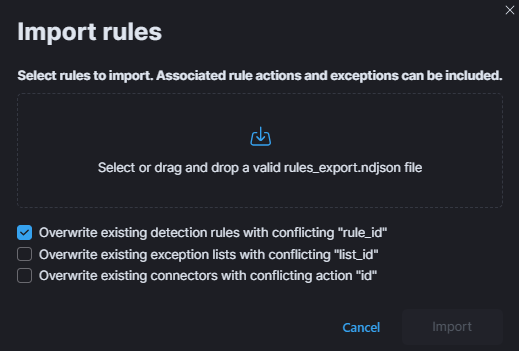
Import rulesbutton in the top-right corner of the Rules page:- Select the
detection_rules.ndjsonfile from the local filesystem - Check
Overwrite existing detection rules with conflicting "rule_id" - Click
Import
- Select the
-
After refreshing the page, the rules should be visible in the Rules page listing